Claude Skills: How Anthropic's Agent Skills Work
Claude Skills are modular capabilities that extend Claude with domain expertise. Learn how Agent Skills work, where they run, and how to evaluate them.
Claude Skills are reusable capability packages that let Anthropic's Claude perform specialized tasks consistently across products. Introduced in late 2025, Claude Skills (also called Agent Skills) package instructions, scripts, and reference materials into folders that Claude discovers and loads automatically when a task matches. For teams building production AI agents, Claude Skills offer a way to encode procedural knowledge once and apply it everywhere, replacing scattered prompt instructions with versioned, auditable capability modules. Combined with rigorous evaluation through platforms like Maxim AI, Skills become a foundation for shipping reliable agentic systems at scale.
What Are Claude Skills
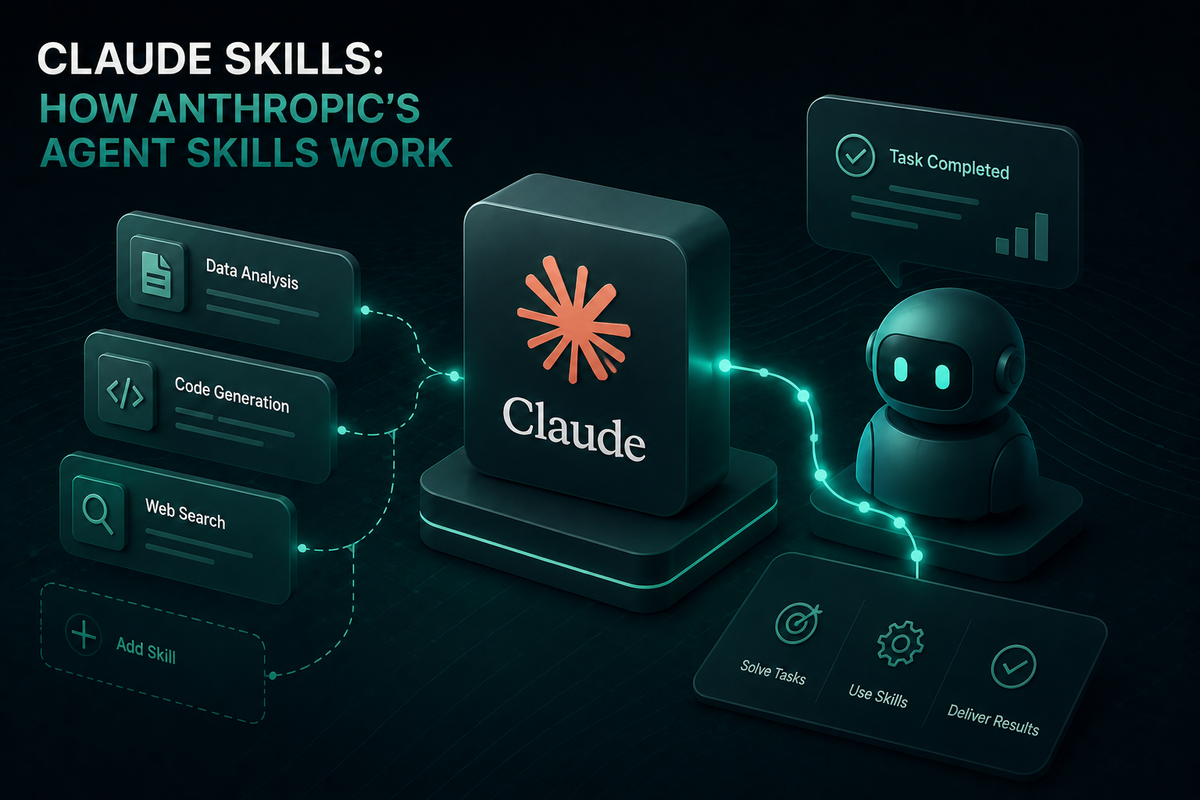
Claude Skills are filesystem-based modules that give Claude domain-specific expertise on demand. Each Skill is a directory containing a SKILL.md file with YAML frontmatter (a name and description) plus optional supporting files: secondary markdown instructions, executable scripts, templates, and reference materials. When a user request matches a Skill's description, Claude loads that Skill's instructions and follows them to complete the task.
Claude Skills differ from one-off prompts in three important ways:
- Reusability: Created once, invoked automatically across conversations
- Composability: Multiple Skills can combine to handle complex workflows
- Efficiency: Only relevant content enters the context window through progressive disclosure
The Skill format has been adopted as the Agent Skills standard beyond Anthropic's own products. Other AI coding tools and CLI agents have implemented compatibility, making the same SKILL.md file portable across runtimes.
How Claude Skills Work: Progressive Disclosure Architecture
Claude Skills use a three-level progressive disclosure model that keeps token usage low while making large libraries of capabilities available. Every Skill exists on a virtual filesystem that Claude navigates using bash commands, loading exactly what each task needs.
Level 1: Metadata (always loaded). Claude loads the name and description from every Skill's YAML frontmatter at startup. This consumes roughly 100 tokens per Skill and tells Claude what exists and when to invoke it. Teams can install dozens of Skills without significant context overhead.
Level 2: Instructions (loaded when triggered). When a task matches a Skill's description, Claude reads the body of SKILL.md into context. This typically stays under 5,000 tokens and contains workflows, best practices, and procedural guidance. Only triggered Skills consume Level 2 tokens.
Level 3: Resources and code (loaded as needed). Skills can bundle additional markdown files, scripts, schemas, and datasets. Claude accesses these only when referenced from the main instructions. Scripts execute via bash and return output without loading their source into context, which makes them far more efficient than equivalent inline code generation.
The cumulative effect is significant. A Skill can include comprehensive API documentation, large datasets, and dozens of helper scripts without any context penalty until a specific task requires them. This architecture is what enables Claude Skills to scale across enterprise workflows where prompt-based approaches collapse under their own weight.
Claude Skills vs MCP, Tools, and Subagents
Claude's agentic stack has several primitives that overlap in confusing ways. Each solves a distinct problem:
- Skills: Procedural knowledge. They teach Claude how to perform a task.
- MCP (Model Context Protocol): Connectivity. MCP servers give Claude access to external systems like GitHub, Salesforce, or internal APIs.
- Tools: Single-function capabilities Claude can invoke directly through the API's tool use mechanism.
- Subagents: Self-contained specialists with their own context window and tool permissions.
The clearest way to frame the relationship: MCP is the plumbing, Skills are the instructions. An MCP server connects Claude to your Notion workspace. A Skill tells Claude how to format meeting prep documents using that connection. The two combine naturally, and Anthropic explicitly recommends pairing them in their guidance on extending Claude's capabilities.
This separation has practical token implications. MCP server configurations can consume tens of thousands of tokens before any conversation starts because tool definitions load upfront. Claude Skills cost roughly 100 tokens of metadata each until triggered. Teams migrating MCP-heavy stacks to Skills for procedural work routinely report substantial context reductions and sharper agent behavior on repetitive workflows.
Where Claude Skills Run
Claude Skills work across all three Claude surfaces, with some differences in setup and management.
- claude.ai: Pre-built Skills for PowerPoint, Excel, Word, and PDF run automatically. Custom Skills upload through Settings > Features as zip files. Available on Pro, Max, Team, and Enterprise plans. Custom Skills on claude.ai are per-user and not centrally managed by admins.
- Claude API: Both pre-built and custom Claude Skills are supported. Custom Skills upload through the
/v1/skillsendpoint and become workspace-wide. The API requires three beta headers for Skills functionality:code-execution-2025-08-25,skills-2025-10-02, andfiles-api-2025-04-14. - Claude Code: Only Custom Skills, stored as filesystem directories in
~/.claude/skills/(personal) or.claude/skills/(project-based). Claude Code Skills can also distribute through Claude Code Plugins.
One critical limitation: Skills do not sync across surfaces. A Skill uploaded to claude.ai is not automatically available through the API, and Claude Code Skills are independent of both. Teams shipping cross-surface workflows need to manage Skill distribution explicitly.
Runtime environments also differ. Skills on the Claude API run in a sandboxed code execution container with no network access and only pre-installed packages. Skills in Claude Code have the full network access of the user's machine. Skills on claude.ai have varying network access depending on user and admin settings. Anthropic publishes 17 open-source Skills (covering creative design, document creation, technical development, and enterprise communication) in the official skills repository on GitHub, which is a useful reference for studying production-grade Skill design.
Building Effective Custom Skills: Best Practices
A well-authored Custom Skill follows a few core principles drawn from Anthropic's published guidance and field experience.
- Write descriptions that trigger correctly. The
descriptionfield (max 1024 characters) is the only thing Claude sees at the metadata level. It must include both what the Skill does and when to use it. Vague descriptions cause missed triggers; overly broad descriptions cause incorrect triggers. - Keep
SKILL.mdlean. Move detailed reference material to secondary files. The main file should contain workflows and decision logic, not exhaustive reference content. - Prefer scripts for deterministic operations. A Python script that validates a form is more reliable than instructions asking Claude to perform the same validation in natural language. Scripts also consume zero context for their source code.
- Test triggering across realistic prompts. A Skill that works on its sample queries but fails on production phrasings is a common failure mode. Treat trigger reliability as something to measure, not assume.
- Version your Skills. Skills are configuration. Changes to a
SKILL.mdfile can shift agent behavior across every conversation that invokes it. Versioning and rollback procedures matter. - Audit Skills from external sources. Skills can execute code and invoke tools. Anthropic's security guidance for Agent Skills explicitly recommends treating Skills like installed software and reviewing all bundled files before use.
Evaluating AI Agents That Use Claude Skills
Claude Skills make agents more capable, which makes evaluation more important, not less. A Skill that triggers incorrectly, executes the wrong workflow, or produces inconsistent output across versions can degrade production quality in ways that are hard to detect through manual review alone. Teams shipping agentic systems built on Claude Skills need a structured way to measure quality, simulate edge cases, and monitor production behavior. This is the territory of AI agent quality evaluation, and it cuts across the full agent lifecycle.
Maxim AI provides the end-to-end evaluation and observability layer for this work. The platform covers the full lifecycle:
- Pre-release simulation: Maxim's simulation engine tests Skills-enabled agents across hundreds of real-world scenarios and user personas, surfacing trigger failures and workflow regressions before production deployment.
- Custom evaluators: Teams configure deterministic, statistical, or LLM-as-a-judge evaluators at the session, trace, or span level to measure whether Skills are invoked correctly and produce expected outputs.
- Prompt and Skill iteration: The experimentation playground compares output quality, cost, and latency across Skill versions, models, and parameter combinations.
- Production observability: Maxim's observability suite provides distributed tracing, real-time alerts, and automated quality checks for live agent traffic, including agents that invoke Skills in unpredictable patterns.
- Dataset curation: Production logs feed back into evaluation datasets, so Skill regressions detected in observability become test cases in the next evaluation run.
This closed loop matters because Claude Skills introduce a new dimension of agent behavior to monitor. A traditional prompt change is visible in source control. A Skill change is visible in source control. But the interaction between a new Skill, an existing MCP connection, and a particular model version may produce emergent behaviors that only structured evaluation catches.
Getting Started with Claude Skills
Claude Skills represent a structural shift in how teams build agents: from re-prompting the same instructions across every conversation to encoding capabilities once and invoking them automatically. For straightforward use cases, the pre-built Skills for Word, Excel, PowerPoint, and PDF deliver immediate value with no setup. For domain-specific workflows, Custom Skills let teams package institutional knowledge into a portable, versionable format that runs across claude.ai, the Claude API, and Claude Code.
What separates teams that ship reliable agents from teams that ship demos is the evaluation infrastructure underneath. Claude Skills make agents more capable; rigorous evaluation makes them trustworthy. Maxim AI gives teams a unified workspace to simulate, evaluate, and observe agentic systems built on Claude Skills, so capability improvements translate into measurable production quality.
To see how Maxim AI accelerates AI agent evaluation for teams building on Claude Skills and other agentic primitives, book a demo or sign up for free.