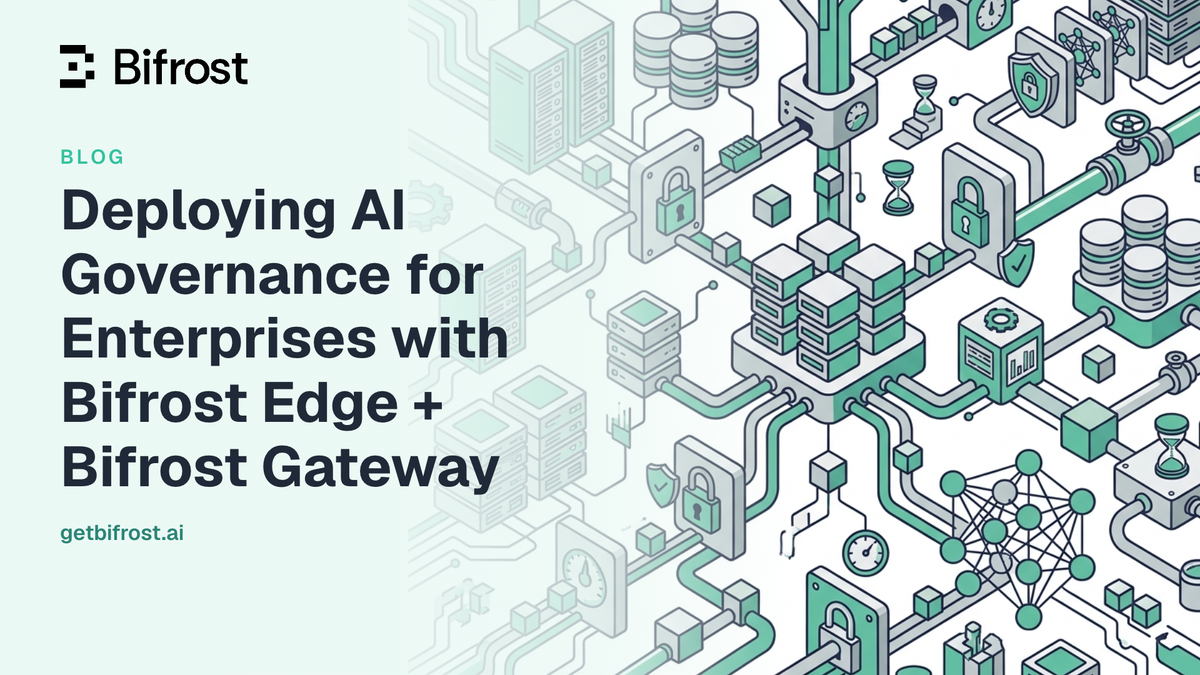
Deploying AI Governance for Enterprises with Bifrost Edge + Bifrost Gateway
Enterprise AI governance has two distinct components: governing the AI traffic that flows through configured infrastructure, and governing the AI that employees use directly on their machines. Most enterprise AI governance programs address only the first. The second, which includes Claude Desktop, ChatGPT, Cursor, and coding agents running in terminals and IDEs, generates no audit trail, enforces no guardrails, and consumes no policy. Bifrost, the open-source AI gateway built in Go by Maxim AI, addresses both components through the same governance model: a central policy engine at the gateway layer, extended to every machine by Bifrost Edge.
The Two-Layer AI Governance Problem
Enterprise AI traffic divides into two distinct layers, and most organizations govern only one of them.
Layer 1: Centralized gateway traffic. Applications and services that connect to AI providers through a configured gateway. This traffic passes through a controlled path where policies can be inspected, budgets tracked, and requests logged. Teams that have deployed an AI gateway typically have good visibility here.
Layer 2: Endpoint AI traffic. Desktop applications like Claude Desktop and ChatGPT, browser-based AI at chatgpt.com and claude.ai, and coding agents like Claude Code, Codex CLI, and Cursor running on employee machines. This traffic goes directly from the employee's laptop to an AI provider. No policy intercepts it.
The second category is shadow AI: AI used on company machines without visibility, policy enforcement, or audit trail. A developer running Claude Code on their laptop, a product manager using Claude Desktop to draft strategy documents, an engineer with a Cursor session open all day, none of these are governed by anything the security or compliance team controls. The data they send reaches external providers without passing through any inspection layer the organization configured.
Most enterprise AI governance programs close Layer 1 and leave Layer 2 entirely open. Bifrost and Bifrost Edge are designed to close both.
The Bifrost AI Gateway as the Control Plane
Bifrost is where all governance policy is defined. Before introducing Bifrost Edge, it is important to establish what the gateway provides, because Edge enforces nothing independently: every policy Edge carries to the endpoint originates in the gateway.
The primary governance mechanisms in Bifrost are:
- Virtual keys: Per-consumer access controls that assign each user, team, application, or device its own identity for AI traffic. Virtual keys carry budget limits, rate limits, model access controls, and provider routing rules.
- Guardrails: Content safety and security validation applied to every request and response passing through the gateway. Supported providers include AWS Bedrock Guardrails, Azure Content Safety, Google Model Armor, CrowdStrike AIDR, GraySwan Cygnal, Patronus AI, native secrets detection (Gitleaks-backed), and native custom regex with a built-in PII detection template.
- Audit logs: Immutable records of every AI request, including the requesting identity, provider, model, content, and any guardrail actions taken. Compatible with SOC 2, HIPAA, ISO 27001, and GDPR requirements.
- RBAC and SSO/OIDC: Role-based access control and identity provider integration (Okta, Entra, Keycloak, Zitadel, Google Workspace) for the gateway itself.
The Bifrost Enterprise feature set also includes in-VPC deployment, high-availability clustering, and log exports for regulated industries. This is the control plane: the system of record for who can use AI, which models, at what cost, under what content policy, with what audit trail.
How Bifrost Edge Extends Gateway Governance to the Endpoint
Bifrost Edge is the layer that carries the gateway's policies out to every machine. Where the Bifrost gateway governs traffic from applications configured to point at it, Edge governs traffic that was never configured to point anywhere, because it routes that traffic automatically.
How Edge works: Edge runs as a local agent on each device (macOS, Windows, and Linux). When an employee opens Claude Desktop and types a message, or runs a Codex CLI session, or visits chatgpt.com, Edge intercepts that AI traffic and routes it through the organization's Bifrost gateway. The employee's virtual key is applied, their budget is tracked, their prompts pass through the configured guardrails, and the request appears in the gateway's audit logs alongside every other AI request in the organization.
No per-application configuration is required. The employee does not change any settings. The AI applications work exactly as they did before, and every request is now governed.
The same virtual keys, budgets, and guardrails that govern server-side AI traffic now govern desktop AI traffic. Bifrost is the policy engine; Bifrost Edge carries that policy out to every machine.
App Governance: Which AI Apps Are Permitted
A central challenge for enterprise AI governance is controlling which AI applications employees can use, without requiring IT to manually configure each one. App governance in Bifrost Edge addresses this at the fleet level.
Administrators control which AI applications are permitted on company machines through the Approvals dashboard. An allowed application routes normally through Bifrost, fully governed. A denied application is blocked on the device before any data leaves the machine. When Edge detects a new application or a previously unknown AI tool on a device, it surfaces that discovery automatically for admin review.
The Approvals dashboard presents a deduplicated catalog of discovered AI applications across the entire fleet. The same application appearing on fifty machines shows up once; an admin approves or denies it once, and that decision propagates to every device at the next check-in. Bulk actions are supported for teams managing large discovery backlogs.
Currently supported AI applications include Claude Desktop, ChatGPT (desktop), Cursor, Codex (desktop), Claude Code, Codex CLI, OpenCode, ChatGPT web, and Claude web. The list expands as coverage grows.
MCP Server Governance: Visibility into the AI Toolchain
AI applications increasingly connect to Model Context Protocol (MCP) servers, external tools that can read files, call APIs, query databases, and take actions on behalf of the AI. Most organizations have no visibility into which MCP servers are wired into employee tools today.
MCP governance in Bifrost Edge provides fleet-wide inventory of every MCP server configured inside each AI application. Security and IT teams can finally answer "what external tools is our fleet giving to AI applications?" with real data rather than estimates.
Admins allow or deny each MCP server from the Approvals dashboard. Deny decisions are enforced on the device immediately: a denied MCP server cannot be used by any AI application, even if it was already configured before the policy existed. The inventory is deduplicated across the fleet so a commonly used MCP server appearing on many machines requires a single allow/deny decision.
Guardrails and Compliance at the Endpoint
Because Bifrost Edge routes AI traffic through Bifrost, every guardrail configured at the gateway applies to endpoint AI traffic automatically. No additional configuration is required on individual devices.
Endpoint security in Bifrost Edge means that:
- Secrets detection catches API keys, tokens, and credentials embedded in Claude Desktop prompts or Cursor sessions before those prompts reach any provider.
- Custom regex PII rules apply to browser AI traffic, including ChatGPT web and Claude web.
- Content safety guardrails from AWS Bedrock Guardrails, Azure Content Safety, Google Model Armor, and other integrated providers apply to requests from desktop applications.
- Audit logs cover every request, including those from employee desktops, providing a complete record for SOC 2, HIPAA, and ISO 27001 audit purposes.
The governance resource hub at the governance resource hub has more detail on how guardrail profiles are structured and applied across different consumer groups.
Fleet Deployment with MDM
Bifrost Edge deploys silently via mobile device management platforms without requiring any action from individual employees beyond a one-time SSO sign-in on first run.
MDM deployment is supported on Jamf, Microsoft Intune, Kandji, Omnissa Workspace ONE, and JumpCloud, covering macOS, Windows, and Linux devices. The MDM-delivered managed configuration contains only the gateway and management endpoints, so machines arrive pre-pointed at the organization's Bifrost. No secrets live on the device; identity and virtual keys come from the user's SSO sign-in.
The first-run flow after MDM installation: Edge installs silently, the user signs in once through the browser using existing SSO credentials, and governance turns on for all supported AI traffic. From that point, Edge keeps its policy and configuration in sync with the Bifrost gateway automatically. The agent appears in the menu bar on macOS and the system tray on Windows and Linux, showing the active virtual key and remaining budget.
Fleet-level visibility is available through the Devices dashboard, which lists every machine running the Edge agent with per-device detail including hostname, owner, installed AI applications, configured MCP servers, and last-active timestamp. Admins can filter by platform, installed app, or approval status.
The Combined Enterprise AI Governance Architecture
The complete enterprise AI governance architecture using Bifrost and Bifrost Edge works as follows:
- The Bifrost AI gateway is the policy engine and traffic hub. Virtual keys define per-consumer identities, budgets, and model access. Guardrail profiles define content inspection rules. Audit logs capture every request passing through the gateway. RBAC and SSO control who administers the system.
- Bifrost Edge is the endpoint extension. It runs on every machine, routes AI traffic from desktop applications, browser AI, and coding agents through the Bifrost gateway, and enforces the gateway's policies on every request, regardless of which application generated it.
Together, these two layers give enterprises a complete and consistent view of all AI traffic. A request from a production application server and a request from a developer's Claude Desktop session on their laptop are both governed by the same virtual key policies, the same guardrail rules, and the same audit log, because both travel through the same Bifrost gateway.
The LLM Gateway Buyer's Guide covers the full Bifrost capability set for teams evaluating AI gateways for enterprise deployment.
Get Started with Enterprise AI Governance
Bifrost Edge is currently in alpha. Organizations interested in extending gateway governance to the endpoint can register for early access, and the Bifrost team will reach out to onboard them. To see the complete Bifrost AI gateway and Bifrost Edge stack in action, book a demo with the team.
For enterprise deployments requiring VPC isolation, high availability clustering, and regulated-industry compliance features, the Bifrost Enterprise page covers the full capability set available to enterprise customers.