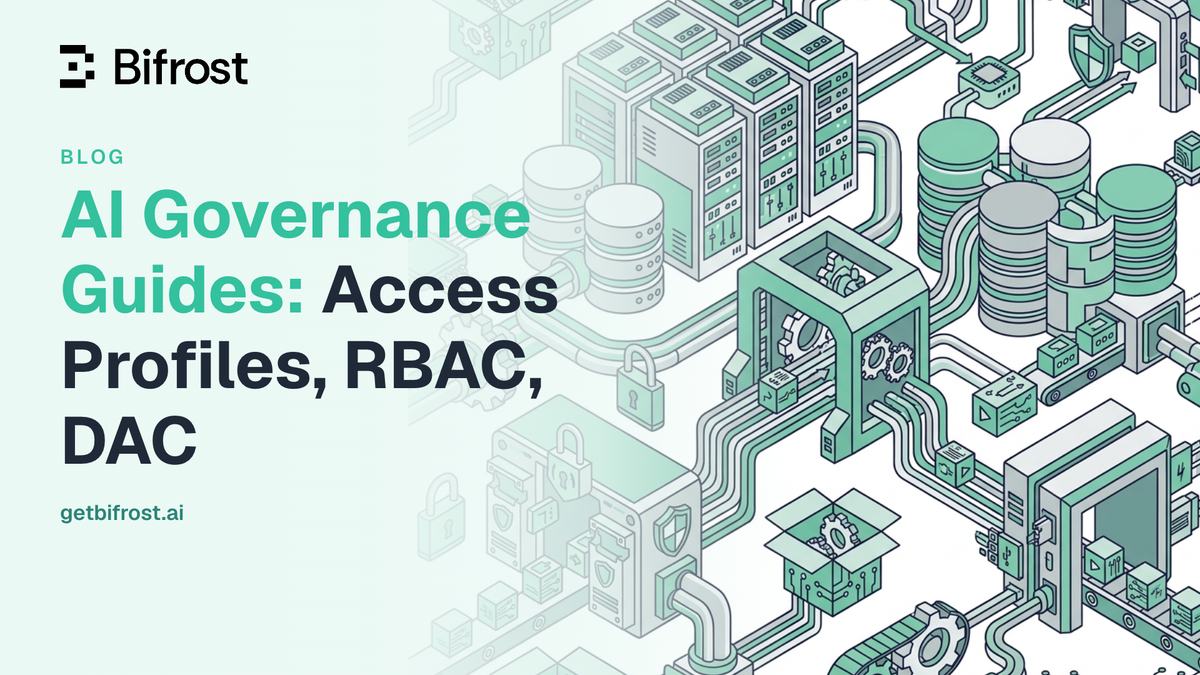
AI Governance Guide: Access Profiles, RBAC, DAC
TL;DR
- AI governance architecture in Bifrost rests on three Enterprise layers: role-based access control (RBAC), data access control (DAC), and access profiles, all centered on virtual keys.
- RBAC decides which operations a role can perform on resources such as virtual keys, logs, and guardrails; Bifrost ships Admin (42 permissions), Developer (27), and Viewer (14) system roles.
- DAC scopes every query to own-data, team-data, or all-data rows, and applies the same scope to inference requests made with a virtual key, API key, or JWT.
- Access profiles are policy templates that auto-issue write-protected virtual keys with per-user budgets, rate limits, model access, and MCP tool access.
- OIDC and SCIM 2.0 provisioning map identity provider groups and attributes to roles, teams, business units, and access profiles.
AI governance architecture is the set of access-control layers that decide which users and applications can reach which models, spend which budgets, and see which data across an organization's AI traffic. As teams move from a handful of shared provider keys to hundreds of engineers, agents, and business units calling large language models, three layers become load-bearing: access profiles, role-based access control (RBAC), and data access control (DAC). Bifrost, the open-source AI gateway built in Go by Maxim AI, implements all three in Bifrost Enterprise as a single control plane, so enterprises can route, govern, and secure every model call from one place. This post explains how each layer works, how they combine, and how to reason about them when designing governance for production AI.
What Is AI Governance Architecture
AI governance architecture is a layered system of access controls that authenticates callers, restricts which providers and models they can use, enforces per-user budgets and rate limits, and scopes which data each identity can see. It sits between your applications and your LLM providers, turning ungoverned direct API calls into policy-enforced traffic.
In Bifrost, that architecture is built on a single primitive: the virtual key. Virtual keys are the primary governance entity. Each one carries its own access permissions, provider and model restrictions, budgets, and rate limits, and applications authenticate against a virtual key rather than a raw provider key. Everything else in the governance stack either decides who gets a virtual key, what that key is allowed to do, or which rows the holder can see.
The three layers map cleanly onto three questions:
- RBAC answers what operations can this user perform on governance resources like keys, providers, and logs.
- DAC answers which rows of data can this user see once an operation is allowed.
- Access profiles answer how do we provision the right virtual key, budget, and limits for every user without handing out keys by hand.
Why AI Governance Architecture Matters for AI Teams
Ungoverned AI usage is now a measurable source of enterprise risk. Gartner has projected that by 2030, more than 40% of enterprises will experience security or compliance incidents linked to unauthorized shadow AI, and IBM's 2025 Cost of a Data Breach Report found that one in five organizations reported a breach due to shadow AI. Most of that exposure traces back to the same root cause: model access that no one can attribute, cap, or revoke.
A governance architecture addresses this at the infrastructure layer rather than through policy documents alone. The National Institute of Standards and Technology frames trustworthy AI around clear roles, accountability, and the ability to demonstrate control, all of which depend on knowing who is calling which model with which data. For platform and security teams, a centralized governance layer delivers concrete outcomes:
- Attribution: every request maps to a user, team, or customer rather than a shared key.
- Cost control: budgets and rate limits are enforced per identity, not estimated after the fact.
- Least privilege: users reach only the providers, models, and data their role requires, following the principle of least privilege.
- Auditability: HMAC-signed audit logs record who changed what and when, supporting SOC 2, GDPR, HIPAA, and ISO 27001 reviews.
These properties matter most for regulated industries and large teams, which is why Bifrost is built as the AI gateway for enterprise deployments, including VPC-isolated and on-prem environments. A broader treatment of this model is in policy-based governance at the gateway.
Role-Based Access Control (RBAC): Governing What Users Can Do
Role-based access control governs which management operations a user can perform. RBAC in Bifrost defines roles as sets of permissions, where each permission is a combination of a resource and an operation, and users acquire permissions by holding a role rather than through individual grants. This is the same model standardized by NIST, where permitted actions are tied to roles instead of individual identities.
Bifrost ships with three system roles that cover common access patterns:
- Admin: full access across all resources and operations (42 permissions).
- Developer: create, read, update, and delete access to technical resources, with view access to logs and cluster (27 permissions).
- Viewer: read-only access to all resources (14 permissions).
System roles cannot be deleted, but their permission sets can be tuned, and teams can create custom roles for functions like QA, security, compliance, or a time-boxed auditor role for contractors. Each role is built from permissions across protected resources, including virtual keys, model providers, logs, observability, users, user provisioning, audit logs, guardrail configurations and providers, plugins, the MCP gateway, Virtual MCPs, MCP logs, adaptive routing, cluster, and workspace settings. Most resources support the standard view, create, update, and delete operations, and some expose specialized operations:
| Operation | What it allows |
|---|---|
| View, Create, Update, Delete | Standard management of a resource such as a virtual key or guardrail rule |
| Download | Exporting resources such as audit logs |
| Reveal | Revealing original values behind reversible redactions in Bifrost logs |
| Inference operations | Invoking specific inference surfaces, such as chat completions, embeddings, images, audio, and moderations |
The Reveal and inference operations matter for AI governance specifically: a compliance reviewer can hold permission to reveal redacted values while developers cannot, and a role can be limited to chat completions without access to image or audio generation.
RBAC also connects to identity. Through user provisioning, Bifrost integrates with identity providers over OAuth 2.0 and OIDC, plus inbound SCIM 2.0, so roles are assigned automatically from IdP groups, app roles, and claims. Supported identity providers include Okta, Microsoft Entra, Zitadel, Keycloak, and Google Workspace. A user signs in with corporate credentials and inherits the right role and permissions immediately, with no manual account creation. For how RBAC combines with SSO and virtual keys on live traffic, see LLM access control with RBAC, SSO, and virtual keys.
Data Access Control (DAC): Governing What Data Users Can See
Data access control governs row-level visibility. Where RBAC decides what operations a user can perform, data access control scopes the result set of those operations to the rows the user is entitled to view. The two layers are complementary: RBAC gates the action, DAC filters the data the action returns.
It is worth naming a common point of confusion here. In classic security literature, "DAC" usually refers to discretionary access control. In Bifrost, DAC means data access control, a role-driven row-scoping mechanism. The distinction is deliberate: scope is configured on the role, not left to the discretion of individual resource owners.
Every role in Bifrost carries a data access scope with one of three values:
- Own data (
own-data): members see only rows they personally created or own, such as virtual keys assigned to them, prompts they authored, and logs they produced. - Team data (
team-data): members see their own rows plus every row created by any user on any team they belong to. - All data (
all-data): no row filtering, which is the default for system roles such as Admin.
DAC is designed to fail closed and to roll out safely. Invalid scope values are rejected at the API, and a team-data user with no resolved team list sees an empty result set rather than falling back to all data. Rows created before DAC was adopted remain visible under every scope, so enabling it on an existing install does not silently hide data. Background jobs and migration runners have no user identity attached, so they run unscoped. Scoping applies to resources that carry an ownership concept, including virtual keys, prompts, teams, customers, routing rules, access profiles, guardrail configurations, business units, MCP clients, Virtual MCPs, projects, and API keys. Audit log entries are scoped the same way, so each operator sees audit history only for resources they can see.
Critically, DAC is inference-aware. When a request arrives on the inference path with only a credential, Bifrost resolves the identity and applies the same scope logic used for dashboard sessions:
- A virtual key is resolved to its owner: a user-owned key applies that user's scope, a key owned only by a team applies a team-scoped view, and a global key with no owner is not scoped.
- An API key is resolved to the API key's owner, along with their role and team memberships.
- A user token (JWT) identifies the user directly through its claims.
The result is consistent behavior: a team-data user's credential, called server-to-server with no dashboard session attached, still cannot see another team's data. Because global virtual keys bypass scoping, issuing user- or team-owned keys is the safer default when row-level isolation matters.
Access Profiles: Provisioning Governance at Scale
Access profiles are how governance is provisioned to every user without manual key management. An access profile is a reusable policy template that describes what a user, team, or business unit is allowed to do. A user receives a profile in one of three ways: directly, through a role that grants it, or through an identity provider attribute that matches a mapping rule. When a profile is assigned, Bifrost creates a per-user copy of the policy and automatically issues a virtual key that carries the policy's provider list, model whitelist, budgets, rate limits, and MCP tool access.
This closes the gap between defining a policy and enforcing it on real traffic. The key properties are:
- Reusable policy: define a profile once, for example an "Engineering" profile, and apply it to every user in a role.
- Per-user enforcement: each user gets an independent copy with isolated budget and rate-limit counters, so usage accrues separately per person.
- Role-default auto-assignment: mark a profile as a role's default, and users who gain that role are provisioned automatically.
- Safe propagation: edit the template, then push selected fields (budgets only, MCP only, and so on) to every user copy in one operation.
- Managed virtual keys: auto-issued keys are write-protected, so a user cannot weaken their own policy by editing the key directly.
- Audit and versioning: every change to a profile is recorded with a full snapshot history.
- Immediate effect: the profile is consulted on each request, so an edit applies straight away without reissuing any key.
A user can hold more than one access profile at a time, and the profiles do not merge into one blended policy. Access adds up, so the user can reach any provider or model that any of their profiles allows. Each request is charged to one profile that allows it, and if that profile is out of budget, another eligible profile can cover the request before it is blocked.
Because access profiles auto-allocate virtual keys, users never need to be handed raw keys and operators never write keys by hand. That is what makes the model workable at the scale of hundreds or thousands of users, and it is a core part of the enterprise governance surface in Bifrost. A deeper walkthrough of profile design is in enterprise AI governance with Bifrost access profiles.
How the Layers Work Together in Bifrost
The three layers combine into a single enforcement path with virtual keys at the center. RBAC decides which management operations an identity can perform. DAC scopes which rows that identity sees. Access profiles generate the virtual key that carries each user's runtime policy, and user provisioning ties all of it back to your identity provider. The result is a governance architecture where a request is authenticated, authorized, scoped, and metered before it reaches a provider.
| Layer | Question it answers | Configured on | Enforced when |
|---|---|---|---|
| RBAC | Which operations can this identity perform? | Roles and permissions | Every dashboard or API action, and inference operations |
| Data access control | Which rows can this identity see? | The role's data access scope | Every query, including inference requests |
| Access profiles | Which providers, models, budgets, and MCP tools apply? | Profile templates assigned to users or roles | Every request made with the issued virtual key |
| User provisioning | Who is this identity, and which role, team, and profile apply? | OIDC, directory sync, and SCIM 2.0 | Sign-in, SCIM writes, and background reconciliation |
The same controls extend to agent tooling, where MCP tool governance with filtering and allowlisting restricts which tools each virtual key can call.
Frequently Asked Questions
How is RBAC different from data access control?
RBAC controls which operations a user can perform on a resource, such as creating or deleting a virtual key. Data access control decides which rows of that resource the user can see once the operation is permitted. RBAC gates the verb; DAC filters the nouns.
Do access profiles replace virtual keys?
No. Access profiles are templates that generate and manage virtual keys. The virtual key remains the enforcement primitive that carries provider access, budgets, and rate limits at request time; the access profile is the reusable policy that provisions and updates those keys at scale.
Where does user provisioning fit in?
User provisioning connects Bifrost to your identity provider over OIDC and SCIM 2.0, so role assignment, team membership, business unit mapping, and access profile mapping flow automatically from your IdP. Identity sync reconciles imported users every 24 hours, and SCIM pushes changes in real time. RBAC and DAC then act on those roles, and access profiles provision the matching virtual keys.
Does DAC in Bifrost mean discretionary access control?
No. In Bifrost, DAC means data access control, a role-driven row-scoping mechanism. Classic discretionary access control lets each resource owner decide who can access their resources. Bifrost data access control instead sets visibility on the role as own-data, team-data, or all-data, so administrators define scope centrally rather than leaving it to individual owners.
Are RBAC, data access control, and access profiles available in open-source Bifrost?
No. RBAC, data access control, access profiles, and OIDC and SCIM user provisioning are Bifrost Enterprise capabilities. The open-source gateway includes virtual keys, budgets, rate limits, and routing, and Bifrost Enterprise builds these identity-aware governance layers on the same virtual key primitive, so teams can start with virtual keys and add the enterprise layers later.
How should teams choose between gateways for role-based access control?
Compare how each gateway maps identity provider groups to roles, whether row-level data scoping exists, whether inference requests inherit the same scope as dashboard sessions, and how keys are provisioned at scale. This comparison of AI gateways for role-based access control covers the options for LLM applications.
For teams designing this end to end, the LLM Gateway Buyer's Guide and the Bifrost resource library walk through each layer in depth, alongside budget, rate-limit, and audit-log configuration.
Getting Started with Bifrost
A durable AI governance architecture is not a single feature but a stack: RBAC for operations, data access control for row-level visibility, and access profiles to provision the virtual keys that enforce policy on live traffic. Bifrost Enterprise brings all three together on top of the open-source AI gateway, with identity-provider integration, HMAC-signed audit logs, and enterprise deployment options for regulated environments. To see how Bifrost can centralize governance across your models, providers, and teams, book a demo with the Bifrost team.